A real word processor
Headings, fonts, sizes, bold, italics, colours, lists, quotes, alignment and images, on an A4 page.

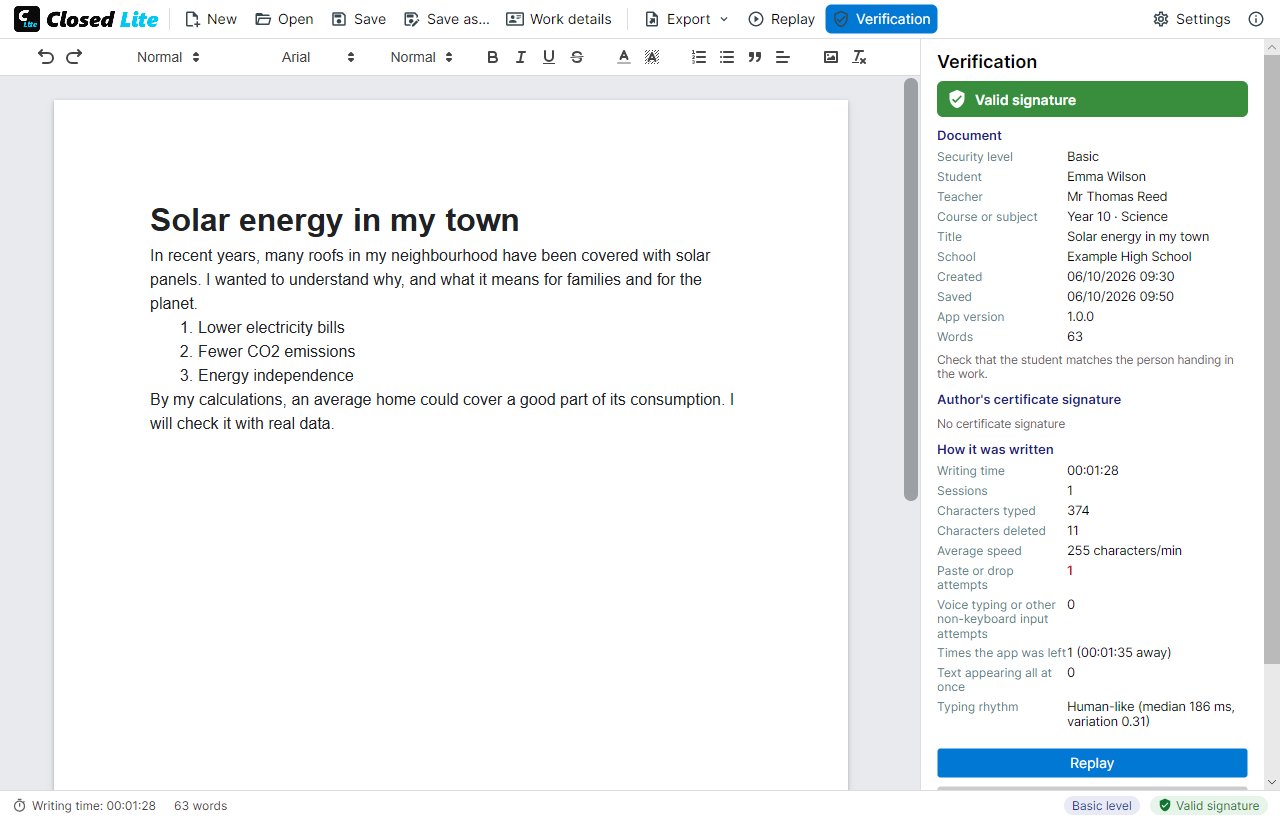
Writing, recording, verification and signatures, in one program and one file.
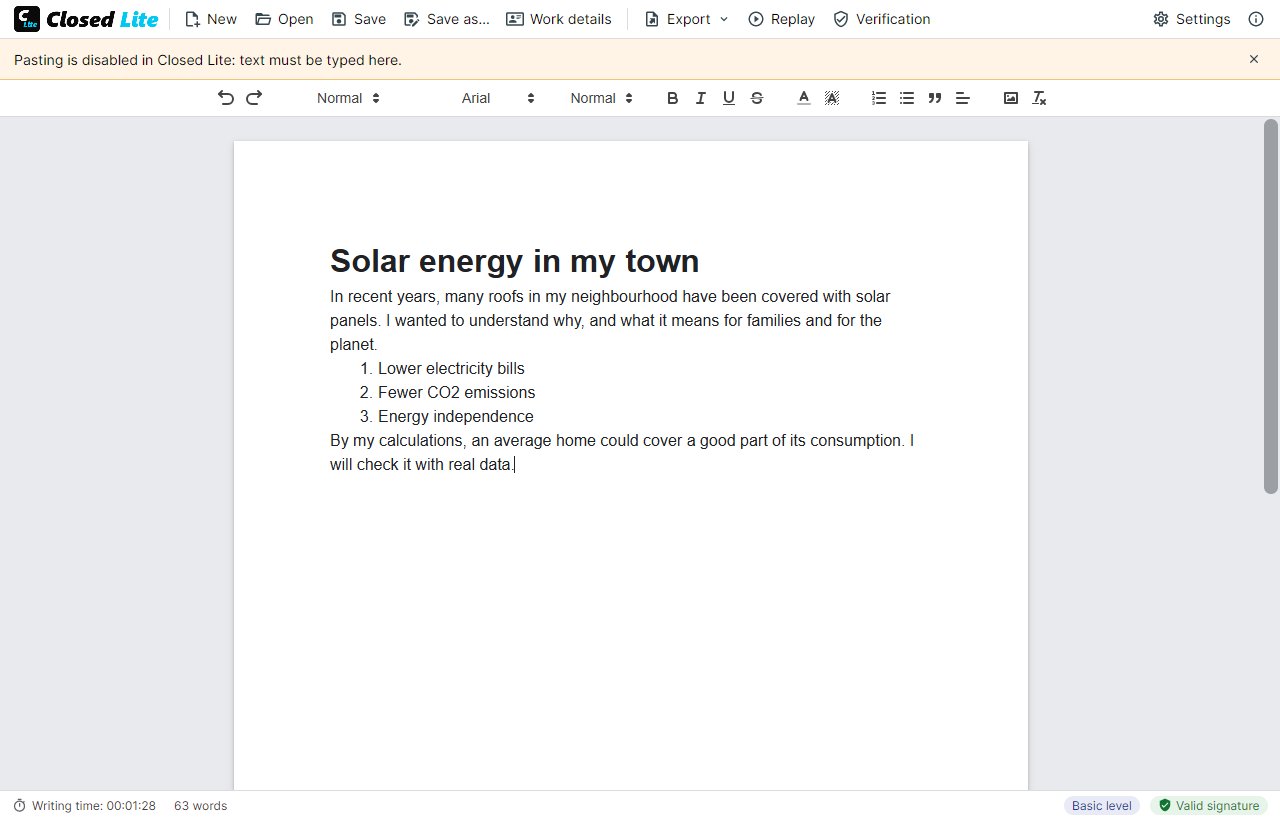
Headings, fonts, sizes, bold, italics, colours, lists, quotes, alignment and images, on an A4 page.
Misspelt words are underlined; right-click to correct them. The correction is recorded as such, not as pasted text.
Ctrl+V, Shift+Insert, the context menu and dragging text or files onto the page are all blocked. Copying and cutting do work.
Voice dictation, the emoji panel and the clipboard history write without keystrokes, so Closed Lite rejects them. Any keyboard works, including Chinese or Japanese input.
Save, close and open the document again whenever you like. Each time is a new session in the record.
Images are stored inside the .closed file and covered by the signature. Very large photos are reduced when inserted.
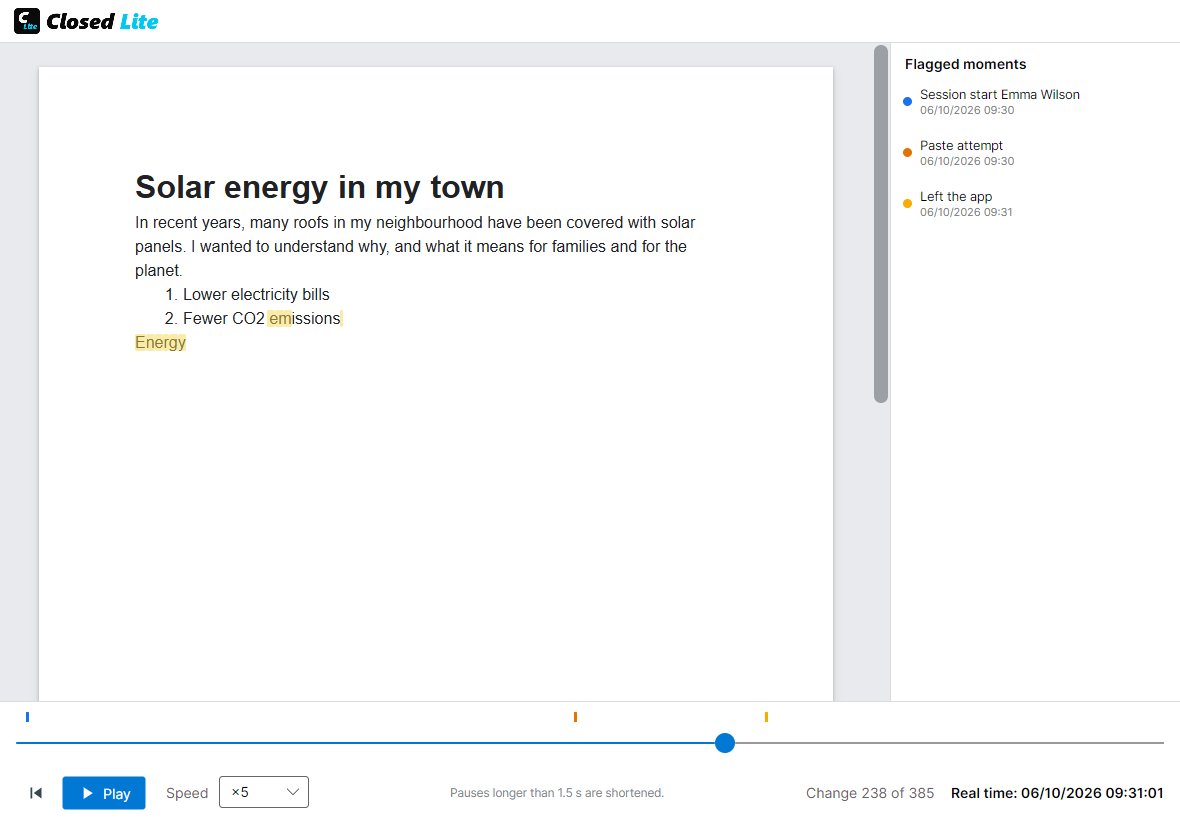
What is typed, deleted and formatted, from the empty page, and the real writing time: pauses longer than a minute and time outside the program do not count.
Every switch to another window is recorded, with the time spent away.
Signature status in colour, author, school, dates, words, sessions, deleted characters, blocked attempts and typing rhythm.
The writing played back like a video, from ×1 to ×100, with a timeline and the flagged moments: sessions, attempts to paste or dictate, exits.
Copies in Word (.docx) or plain text, which carry no signature, and the verification report in PDF.
If the .closed file is changed outside Closed Lite, it is detected on opening and the document opens read-only, showing what does not match.
Closed Lite signs the document when it is saved. No certificate needed.
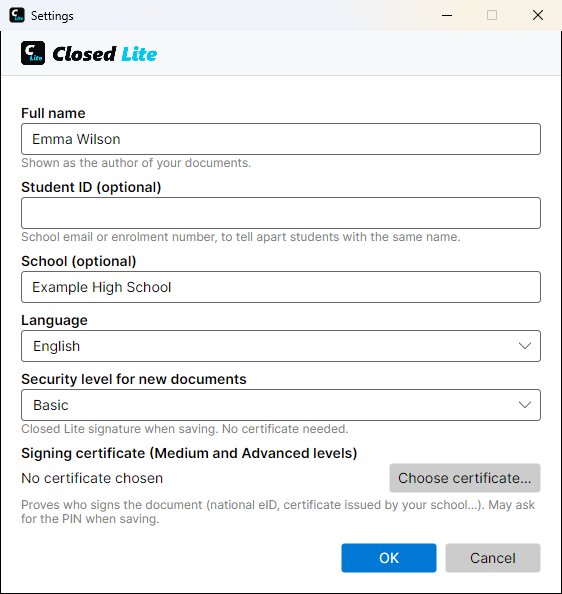
Each save is also signed with the author's digital certificate: national ID card, a certificate from your school or any X.509 certificate installed on the computer.
Always the same certificate from the moment the document is created: only its holder can go on writing it.
Text, writing record, images and signatures in one .closed file, or in a PDF that opens in any viewer and carries it inside, for platforms that only accept PDF.
The teacher marks the hand-in PDF with highlights, notes and the grade. The student sees them in any viewer and the work can still be verified.
English, Spanish, German, French, Italian, Portuguese, Dutch, Polish, Catalan, Galician and Basque, changed instantly in Settings.